![Squared - Mark-2000-1.png]](https://help.squared.io/hs-fs/hubfs/Squared%20-%20Mark-2000-1.png?height=40&name=Squared%20-%20Mark-2000-1.png)
To add new users, just click on the People tab and select ‘add new’.

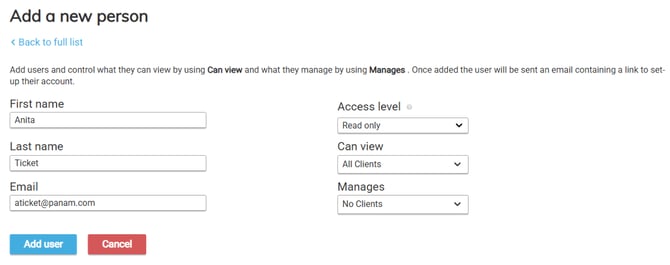
Enter the new user’s details and choose:
Access level:
- Read only access is 'read-only' access and allows a user to see the audit - they won't be able to add queries or use automation
- Standard access users can make changes via the platform - adding queries and using automation as well as adding new accounts and users to the platform.
- Admin access users can also change profiles and view the billing page.
For more detail on user permissions, please follow the link here.
View Group: A user will only be able to see accounts within the group they can view.
Manage Group: A user's score on the People tab will be based on the group they manage.