![Squared - Mark-2000-1.png]](https://help.squared.io/hs-fs/hubfs/Squared%20-%20Mark-2000-1.png?height=40&name=Squared%20-%20Mark-2000-1.png)
When hit the "+NEGATIVE" button in the Add Queries tool or the N-Grams analysis, you'll see a box pop up where you can choose the text and match for the negative.
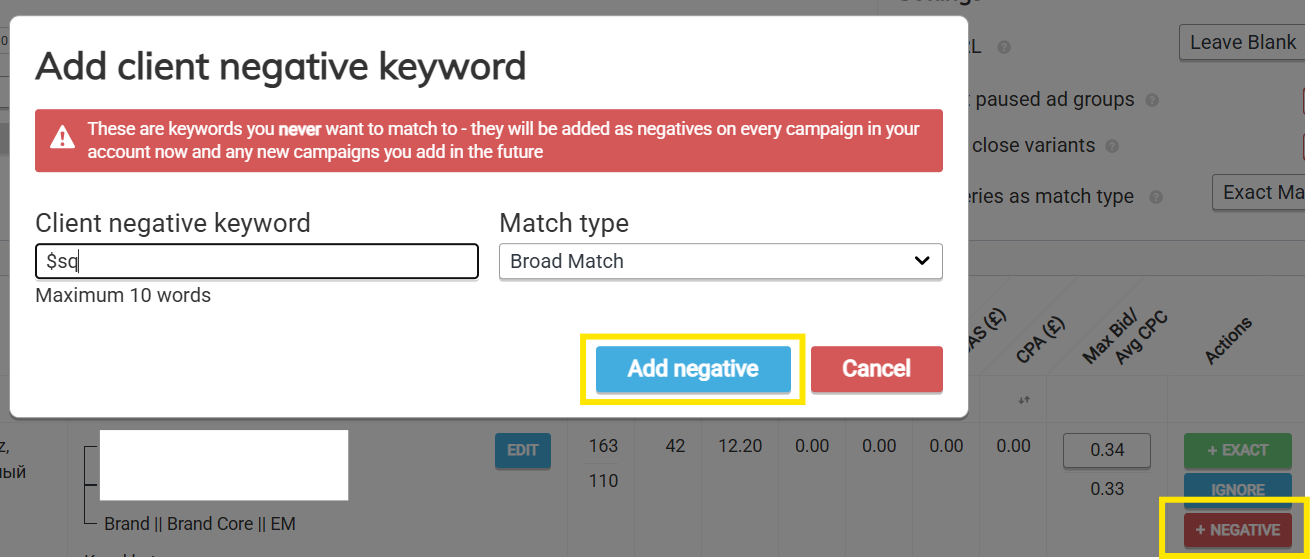
Once you hit "Add negative", they're added to 'Client negatives' - which you can find under the 'Protect' menu. These can be removed at any point using the red "x".

At the next sync (or if you hit "sync now" at the top of the page), the negatives will be added to a shared library in your Google Ads account. You can find it by heading to the below page and choosing the "Squared: Account Negative Keyword List (please do not delete or amend)" list.
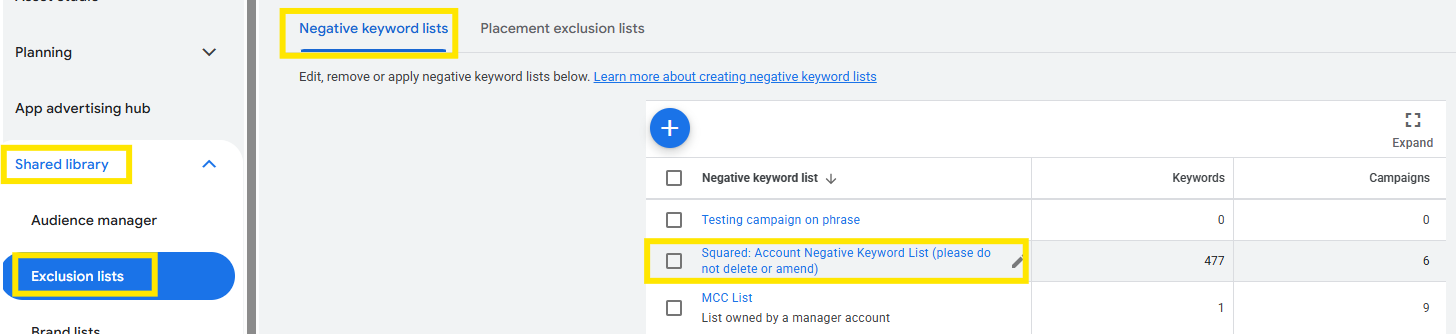
This list will be automatically applied to all current and future live campaigns (including Performance Max).
